
In this story
It began with a machine, not a computer
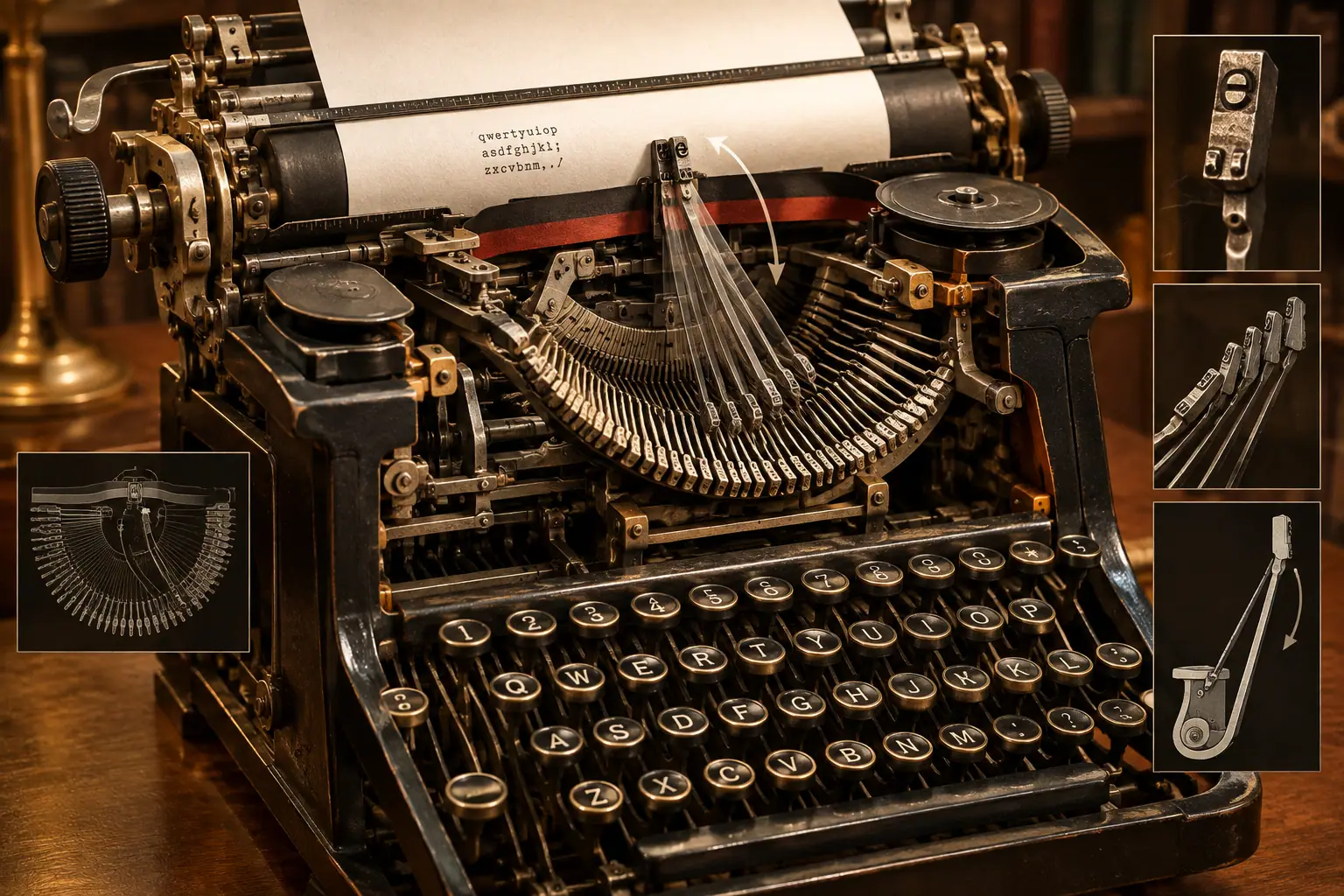
The word QWERTY simply names the first six letters on the top alphabetic row. The arrangement appeared on typewriters developed by Christopher Latham Sholes and was shown in his 1878 United States patent. The machine was very different from a modern keyboard: pressing a key sent a metal typebar swinging towards an inked ribbon and paper.
On early machines, the typebars were arranged in a semicircle. If two nearby bars were activated almost simultaneously, they could interfere with one another or become tangled. The problem was especially troublesome when letters that often appeared together were placed in positions that encouraged rapid, adjacent strokes.
The keyboard therefore evolved as part of a mechanical solution. Letters were moved away from a simple alphabetical arrangement, helping reduce interference between some commonly struck sequences. The precise history was gradual rather than the result of one perfectly documented moment, and historians still debate how much of the final layout was intended specifically to prevent jams. What is well established is that the layout was created for a mechanical typewriter and that the machine’s physical design strongly influenced it.
Was QWERTY deliberately designed to make people slower?
That is the popular story, but it is too simple. QWERTY did have the effect of limiting some fast sequences that could make early typebars collide, but the broader aim was to produce a workable, commercially successful typewriter. The designers were balancing several practical concerns: keeping the mechanism reliable, allowing users to reach the letters, and making the machine useful in offices and other workplaces.
The evidence does not support the idea that Sholes created QWERTY solely to frustrate typists. The surviving patent concentrates on the typewriter mechanism and does not provide a neat explanation for every letter position. The layout was refined through experimentation, and different accounts have proposed additional influences, including the needs of telegraph operators who had to interpret and transcribe messages.
This is why the safest explanation is not that QWERTY was ‘designed to be bad’, but that it was an engineering compromise. It suited a particular kind of machine. On a computer, there are no swinging metal typebars to jam, so the original mechanical reason for many of the letter positions has disappeared.
How did it become the standard?
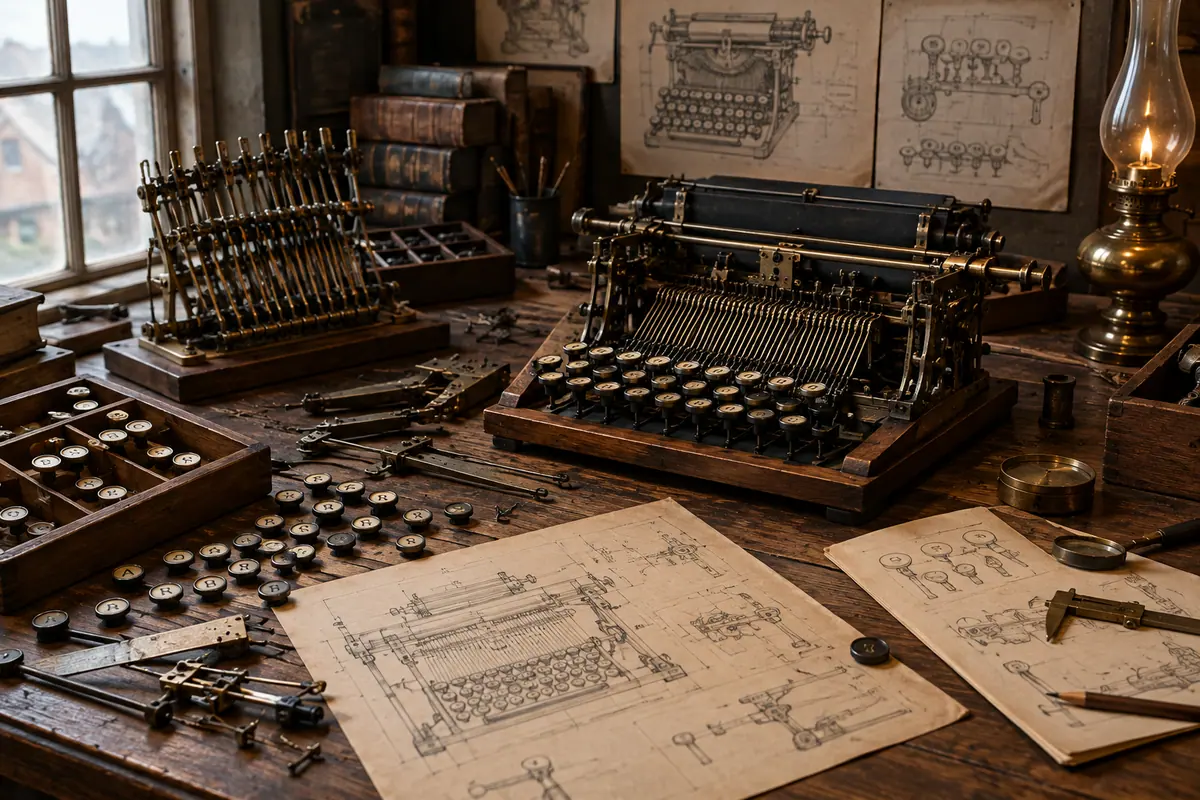
A clever design is not automatically a standard. QWERTY became dominant because it was attached to a successful product and then reinforced by an expanding system of users, manufacturers and training schools.
The Sholes and Glidden typewriter entered production in the 1870s and was later associated with Remington. Remington’s commercially successful machines helped spread the layout. As businesses began using typewriters, employers needed people who could operate them, and typing schools taught the arrangement to new workers. By the late 19th century, the keyboard was no longer just a feature of one machine: it was becoming a learned workplace skill.
Typing competitions and touch-typing instruction strengthened that process. A person who had invested time in learning QWERTY had a reason to keep using it, while an employer had a reason to buy machines that prospective workers already knew. Manufacturers also benefited when customers expected the same familiar layout. Each new user made the existing arrangement more valuable, even if another layout might have offered advantages in some respects.
This is sometimes described as a form of technological lock-in. It does not mean QWERTY was the only possible layout or necessarily the best one for every purpose. It means that changing would have imposed costs: retraining typists, replacing equipment and giving up compatibility with an established skill.
Why did computers keep it?
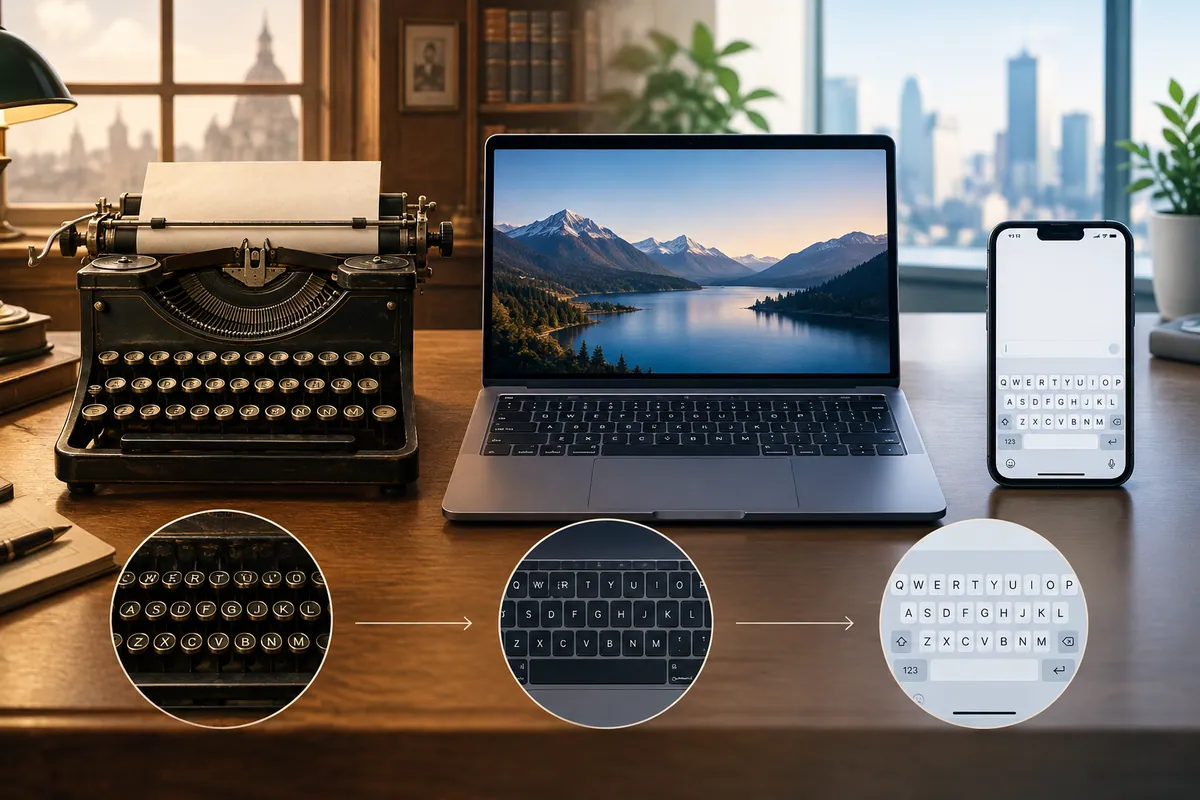
When electronic computers and terminals became widespread, designers could have introduced a completely different arrangement. They generally did not need to. QWERTY was already familiar to typists, manufacturers and office workers, and early computer keyboards borrowed from existing typewriters and teletypes.
Keeping the familiar arrangement reduced the learning barrier. Someone moving from a typewriter to a computer did not have to relearn the alphabet’s positions before writing an email, entering data or using a word processor. The same logic later helped QWERTY appear on laptops, tablets and phones, even though a touchscreen has no typebars and can technically display almost any arrangement.
Computer keyboards also added new keys and functions, including control keys, function keys, navigation keys and numeric keypads. The layout changed around the edges, but the central alphabetic pattern remained recognisable. Familiarity became more important than the original mechanical explanation.
Were alternatives better?
Yes, several alternative layouts have been proposed. The best-known is the Dvorak Simplified Keyboard, developed in the 1930s by August Dvorak and William Dealey. It placed frequently used letters and combinations in positions intended to reduce finger movement and distribute work between the hands. Its patent described goals including reducing errors, fatigue and awkward sequences.
The existence of alternatives does not prove that QWERTY is unusable. Millions of people type quickly and accurately with it, largely because practice creates a strong memory for key positions. Nor does it prove that Dvorak is universally faster. Typing performance depends on the language being typed, the user’s training, the task, the hardware and how much time the person is willing to spend learning a new system.
The larger lesson is that standards are often historical. A layout can survive because it is familiar, compatible and deeply embedded in education and workplaces, not because every part of it remains optimal. QWERTY is a visible example of an old physical constraint continuing into a newer technology.
So what is the real answer?
QWERTY is arranged that way because 19th-century typewriters had mechanical limits, and the layout was developed to make those machines practical. Its success then depended on more than engineering: Remington popularised it, typing schools taught it, employers relied on it and users built lasting skill around it. When computers arrived, keeping the familiar arrangement was easier than starting over.
The exact motivation behind every key position remains uncertain, and claims that QWERTY was simply invented to slow typists should be treated cautiously. But the broad history is clear. The keyboard beneath your fingers is not a fresh computer design. It is a surviving interface from the age of metal typebars, carried forward by habit and compatibility.
What to remember
- QWERTY originated on mechanical typewriters, not computers.
- The layout helped reduce interference between typebars, although the exact reasoning behind every key position is uncertain.
- Remington machines, typing schools and workplace training helped make QWERTY the standard.
- Computers retained QWERTY because users already knew it and manufacturers could build compatible equipment.
- Alternative layouts exist, but technical efficiency is only one factor in whether a standard succeeds.
Sources & further reading
Where this story comes from
- Improvement in type-writing machines, US Patent 207,559United States Patent Office via Google Patents
- “There’ll always be a Q-W-E-R-T-Y.”Library of Congress
- Was the Patent Application for the Typewriter Handwritten?Lemelson Center for the Study of Invention and Innovation, Smithsonian Institution
- Type-O-Rama: What do typewriters reveal about innovation?National Museum of American History, Smithsonian Institution
- Smith-Corona Marchant Electra TypewriterNational Museum of American History, Smithsonian Institution
- KeyboardsComputer History Museum
- Production on the Sholes and Glidden Type-Writer BeganLibrary of Congress
This story was researched, drafted and illustrated with AI, then automatically checked against ANTB's structural and sourcing rules. Use the linked primary and institutional sources to verify important details.
 How things work · 5 min read
 How things work · 6 min read
 How things work · 6 min read